Maximize Your Marketing with Business Flyer Templates
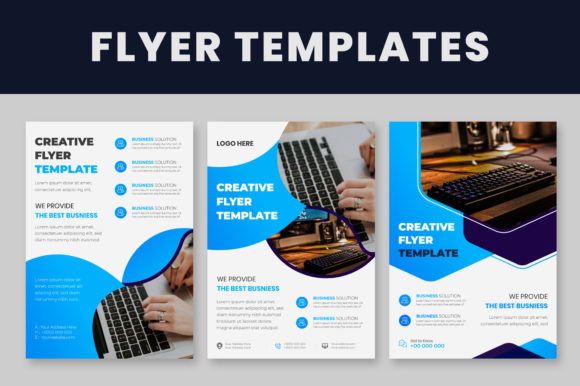
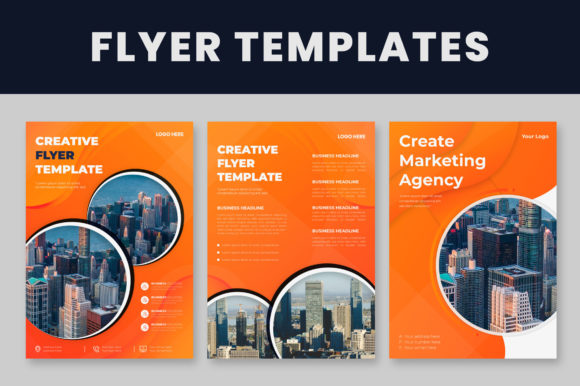
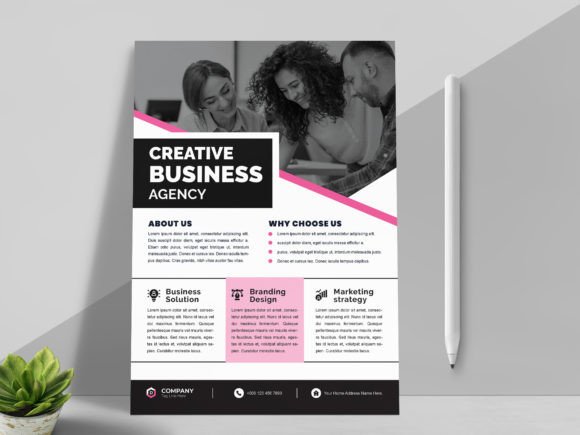
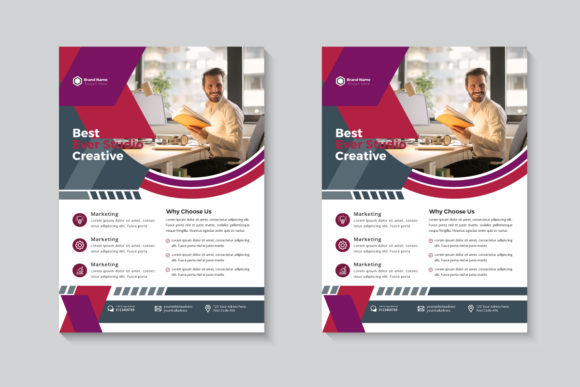
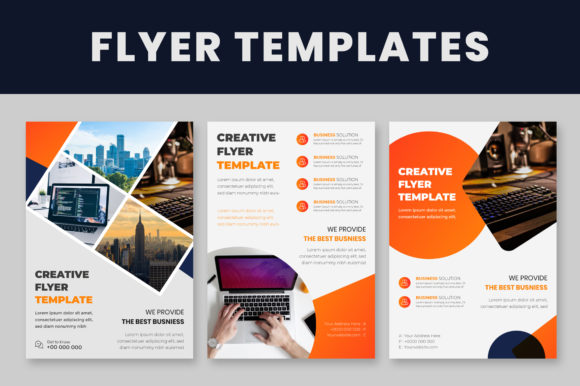
In the fast-paced world of small business and marketing, the ability to pivot quickly is everything. You might have a flash sale, a networking event, or a new service launch that needs to be announced yesterday. This is exactly where having a reliable set of Business Flyer Templates becomes an indispensable part of your design toolkit. These aren't just static images; they are fully editable, professional-grade design assets built for real-world application. When you download this package, you are getting three distinct files—A4 size, high-quality, and layered—specifically engineered to help entrepreneurs, designers, and marketers create stunning print and digital collateral without starting from scratch.
The Anatomy of Professional Design Assets
One of the standout features of this collection is the professional structure behind the visuals. The files are provided in EPS and Illustrator (AI) formats, ranging from CS to the latest versions. This ensures broad compatibility, but more importantly, it preserves the integrity of the vector graphics. The "Well Organized Layer" feature is a game-changer for anyone who has ever struggled with messy files. Instead of digging through a chaotic mess of unnamed layers, you can easily isolate specific elements, lock background graphics, and focus on the text. This clean organization is vital for maintaining a professional workflow, especially when you are collaborating with other creatives or trying to meet tight deadlines.
Visual Style and Typography Synergy
Visual hierarchy is the silent ambassador of your brand. These Business Flyer Templates rely on a modern typography aesthetic that balances readability with style. The package utilizes free fonts, which is a massive advantage for small business owners who need to keep overhead costs low while still projecting a premium image. When you open the files, you will notice how the typeface choices dictate the mood. Whether the template leans towards a bold sans serif font for corporate urgency or pairs a serif font with a delicate script font for elegance, the typography is designed to guide the viewer's eye.
Before you begin editing, the instructions are simple but critical: Install recommended fonts first. This step prevents the dreaded "font missing" error and ensures that the spacing and alignment remain pixel-perfect. Because the text is 100% editable, you have the freedom to swap these out for a premium font from your own library if your brand identity requires it, but the provided selections offer a solid starting point for almost any industry.
Practical Application: From Screen to Print
The versatility of these templates extends across multiple platforms. While the A4 size is standard for physical print—perfect for handouts, bulletin boards, and mailers—the high-quality vectors ensure they look just as sharp on a screen. You can easily adapt these designs for digital newsletters, social media graphics, or website banners. For a blogger or content creator, this means you can maintain visual consistency across your Instagram feed and your email marketing simultaneously.
However, a common pitfall in using templates is failing to customize them enough to fit your specific brand strategy. A template is a skeleton, not the final body. When you select a Business Flyer Template, look for one that matches the "personality" of your event. Is it corporate and stark? Or creative and whimsical? If you are a packaging designer or working on editorial design, the layout of the flyer should complement the other design assets you are already using. Do not force a playful, handwritten style onto a serious financial service flyer; the disconnect will confuse your audience.
Mastering the Edit: A Step-by-Step Workflow
Editing these files in Illustrator is straightforward, even for those with intermediate skills. Here is a practical workflow to get the most out of your investment:
- Logo Integration: Select the placeholder logo using the Selection Tool. Delete it and place your own vector logo. Ensure your logo file is high-resolution to match the crispness of the template.
- Text Manipulation: Select the Type Tool (T). Click on the existing text to highlight it. Replace it with your copy. Pay attention to tracking and kerning; if your text is significantly longer or shorter than the placeholder, you may need to adjust the size slightly to maintain the design's balance.
- Color Theory: To change object colors, select the element and navigate to the color palette. This is where you inject your brand identity. Stick to your brand’s primary and secondary color palette to create immediate recognition.
Remember, the goal of modern typography and layout is to facilitate communication, not hinder it. Ensure your final text contrasts sharply with the background. If you place an image over a background pattern (even though images are not included, you will likely add your own), ensure the text remains legible by using overlays or adjusting the opacity of the background elements.
Choosing the Right Template for Your Audience
Not every template fits every project. When evaluating these files, consider your target demographic. If you are a small business owner targeting a younger, trendier crowd, look for templates that utilize bold geometric shapes and a modern display font. Conversely, if you are a publisher or brand strategist working on a luxury campaign, you might prefer layouts with ample white space and refined serif typography.
It is also worth considering the scalability of the design. Because these are vector-based EPS files, you can scale them up for large-format printing, such as posters, without losing quality. This scalability makes them a smart, long-term investment. You are not just buying a single flyer; you are buying a flexible framework that can adapt to A3 posters, web headers, or digital brochures with minimal effort.
Final Thoughts on Professional Polish
In the crowded marketplace of web design and marketing, details matter. The difference between an amateur flyer and a professional one often comes down to the quality of the source file. By using well-organized, high-quality Business Flyer Templates, you bypass the technical hurdles of building a layout from zero. You save time, reduce stress, and ensure that the final product reflects the professionalism of your brand. Whether you are a designer looking for a quick base to modify or a hobbyist creating a flyer for a local community event, these assets provide the structure you need to communicate effectively and beautifully.